AI compose
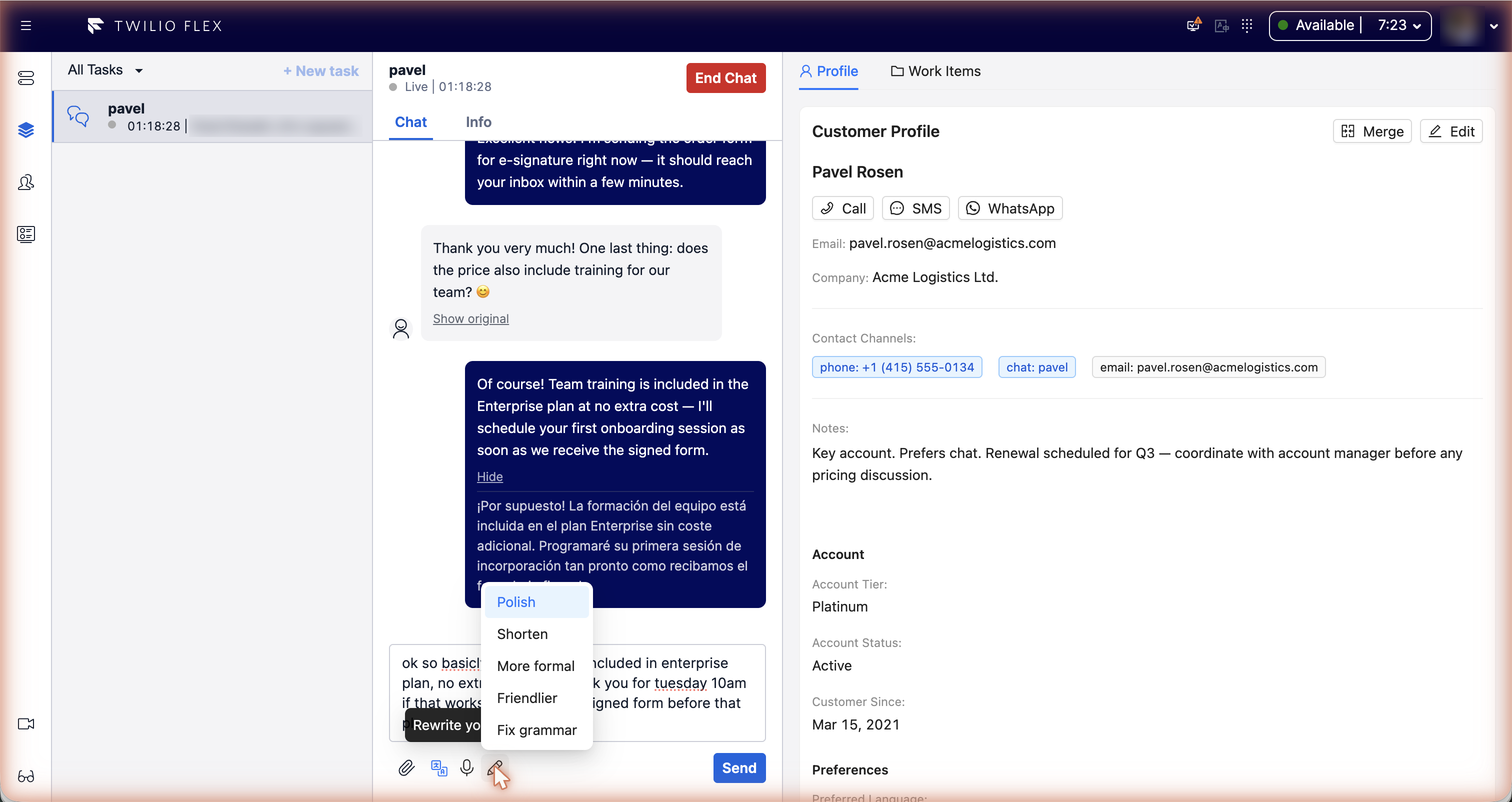
Rewrite with AI turns a rough draft into a reply that is ready to send. The agent writes in the message box, picks how to rewrite it, checks the result and sends it as usual. Nothing is sent automatically.
It works wherever Flex shows a message box: web chat, SMS and WhatsApp.
Using it
- Type a draft in the message box.
- Click Rewrite with AI under the message box and choose a mode.
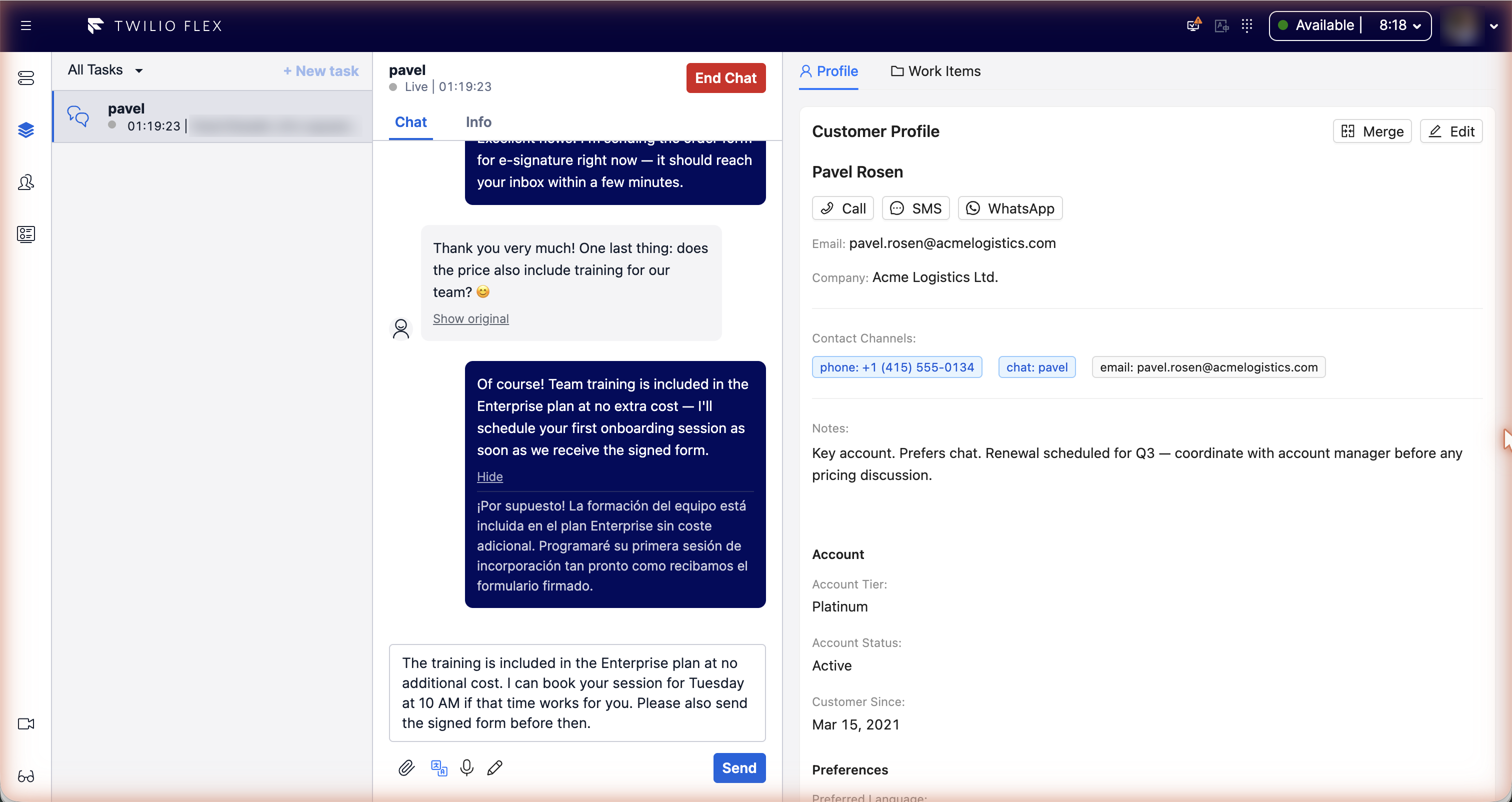
- The draft is replaced with the rewritten text. Edit it if needed, then send.
| Mode | What it does |
|---|---|
| Polish | Clearer wording, same meaning |
| Shorten | Says the same in fewer words |
| More formal | A polite, professional tone |
| Friendlier | A warmer, more personal tone |
| Fix grammar | Corrects spelling and grammar only |
The rewrite stays in the language of the draft; it never translates (use translation for that). Names, numbers, URLs and emoji are kept as they are.
Undo
After a rewrite, an Undo button appears next to the composer for 10 seconds. It puts the previous draft back.
If the rewrite comes back unchanged, the draft is left alone and no undo is offered. Drafts longer than
max_chars (5000 characters by default) are refused with a message asking the agent to shorten them.
Configuration
Under custom_data.features.ai_compose in the Flex configuration:
| Key | Default | Meaning |
|---|---|---|
enabled | false | Turns the feature on. |
modes | all five | Which modes appear in the menu: polish, shorten, formal, friendly, grammar. |
default_mode | polish | The mode highlighted when the menu opens. |
max_chars | 5000 | Longest draft that can be rewritten. |
context_window | 0 | Number of earlier messages sent as context (at most six are used). 0 sends none. |
api_url | the screen_recording address | Floor Walker service address, if different. Set during installation. |
The rewrite uses the language model configured for your Floor Walker installation. If no AI service is configured, drafts come back unchanged.