Twilio Flex add-ons in your own cloud or data center
Yes. Floor Walker can be installed in your own cloud account or data center, so the customer data, recordings, AI results and reports it adds to Twilio Flex never leave your environment. If you would rather not run it yourself, we host it for you in a dedicated environment. It is the same product either way: agents and supervisors keep working inside your own Twilio Flex, people sign in with Flex, and data is encrypted in transit and at rest.
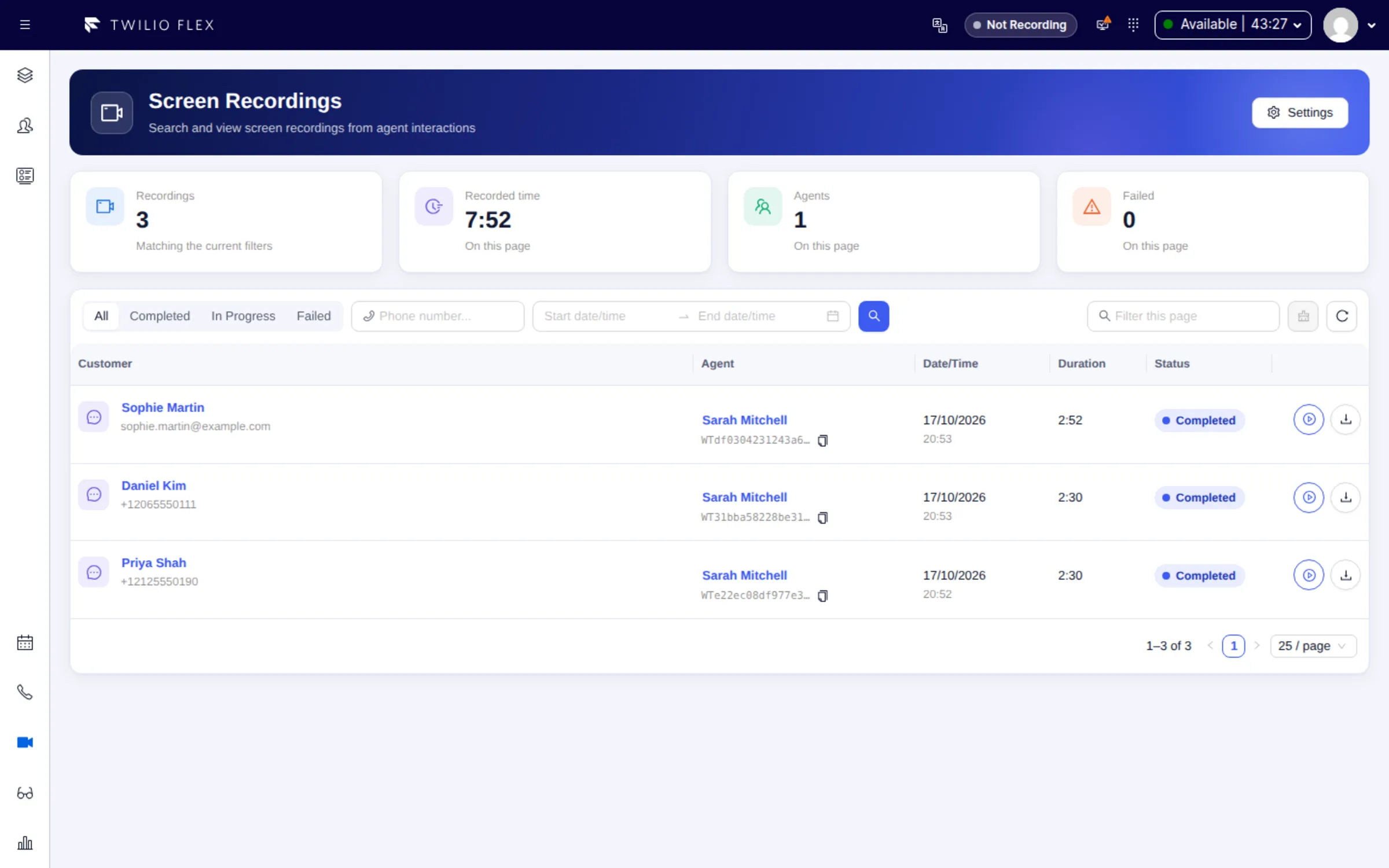
Two ways to run it
- In your infrastructure. We install Floor Walker in your own cloud account or data center and update it together with your IT team. Customer profiles, interactions, transcripts, recordings, campaigns and reports stay in your environment. Support is set out in a support agreement for your installation and needs remote access for our team; because your team controls the servers, the agreement defines what we cover and how fast.
- Managed by us. We run Floor Walker for you in a dedicated environment, keep it updated, monitor it and support it end to end.
Both options offer the same features, so you can choose by your security and compliance requirements, not by what the product can do. See Deployment.
What you get
- Data where you chose to keep it. Everything Floor Walker adds (customer profiles, cases, interactions, transcripts and AI analysis, screen and call recordings, campaigns, wallboard and reporting data) is kept in the environment you chose. Data that belongs to Twilio (calls, conversations, TaskRouter) stays in your Twilio account.
- Encryption in transit. All traffic between Flex, agents' computers, wallboard TVs, Twilio and Floor Walker is encrypted with TLS (HTTPS).
- Encryption at rest. Data is kept on encrypted storage, recordings are also encrypted one by one as they are stored, and backups are encrypted. Encryption keys are kept separately from the data they protect. In your own infrastructure, we set up the same encryption or use the encrypted storage your environment provides.
- No extra passwords. People sign in to Flex as usual, with your Flex single sign-on. Every request to Floor Walker carries the user's Flex session, which is checked with Twilio. When someone leaves your Flex, they lose access to Floor Walker too.
- Roles from Flex. Floor Walker uses each user's Flex role (agent, supervisor, admin) and checks it on every request, not only in the screens.
- Private recordings. Screen and call recordings play only through short-lived links issued to a signed-in user.
- Retention you set. Recordings are deleted automatically after 90 days by default, and report data is kept for 25 months by default. Both are adjustable for your installation.
- An audit trail. Actions supervisors take on agents from the supervisor console (activity, skills, channel capacity) are logged with who did what and when.
- Your data, open to you. Excel and CSV exports, nightly open data files, a read-only reporting connection for your own BI tool and an MCP server for AI assistants.
How it works
Floor Walker runs in a few places, all of them yours or chosen by you:
| Part | Where |
|---|---|
| Agent Workspace, supervisor console, wallboard editor, campaigns and reports | Inside your Twilio Flex, as a Flex plugin. Nothing to install in agents' browsers. |
| Twilio-side functions (Studio, TaskRouter, messaging) | Your own Twilio account |
| The Floor Walker service (CRM, recordings, AI, dialer, wallboards, reports) | Your cloud or data center, or our managed hosting |
| Screen Recorder | A desktop app on each agent's Windows or Mac computer |
| Wallboard TV | Any browser on the TV |
- Twilio to Floor Walker. Twilio sends TaskRouter, Studio and call status events to Floor Walker for the wallboard, reports and dialer. These connections are protected by secret tokens or by Twilio's request signatures, and the tokens can be rotated.
- Wallboard TVs show boards through a TV link with its own key, read-only, that you can revoke at any time.
- Your BI tool reaches the reporting data through a read-only connection that is never exposed on a public address; we agree with your IT team how it connects, for example over a private network or a VPN.
AI processing
Transcription, translation, AI Compose, AI insights and Ask AI send the relevant conversation text or audio to the AI services configured for your installation. Each AI feature can be switched off or left out of your installation. Ask us for the current list of AI providers and their data terms.
Who it is for
- Organizations that need customer data, recordings and contact center history to stay in their own cloud or data center, next to their Twilio Flex account.
- Teams that want the same add-ons without running anything themselves, in a dedicated environment.
- Security and compliance teams that need encryption in transit and at rest, Flex sign-in, role checks and an audit trail.
FAQ
Can I use Twilio Flex add-ons without sending my data to another vendor's cloud?
Yes. When Floor Walker is installed in your own cloud or data center, its customer data, recordings and reports stay there. The exceptions are Twilio itself and the AI services configured for your installation; each AI feature can be switched off, and dictation can use a speech server you run.
Do I have to run Floor Walker myself?
No. We can host it for you in a dedicated environment, keep it updated and monitor it. Installing it in your own infrastructure is an option for organizations whose data must stay in their environment. The features are the same either way.
Who supports Floor Walker when it runs in our environment?
We do, under a support agreement for your installation. Our team needs remote access to it, and since your IT team controls the servers and the network, the agreement sets the scope and response times. In managed hosting we are responsible for the whole service.
Is the data encrypted?
Yes, in transit and at rest. All traffic is encrypted with TLS, data is kept on encrypted storage, recordings are also encrypted one by one, and backups are encrypted. In your own infrastructure we set up the same encryption or use the encrypted storage your environment provides.
How are Floor Walker users authenticated?
With their Twilio Flex login. Floor Walker has no passwords of its own: every request carries the user's Flex session, which is checked with Twilio, and the user's Flex role decides what they can do.
Where are screen and call recordings kept, and for how long?
In private storage in your Floor Walker environment, reachable only through short-lived links issued to a signed-in user. They are deleted automatically after a retention period, 90 days by default and adjustable. Coaching notes are kept after the recording expires.
How is Floor Walker updated?
Flex plugin releases go through Flex's own plugin versioning, so a release can be rolled back from the Twilio Console. The Floor Walker service is updated by us in managed hosting, or together with your IT team in your own infrastructure.
Learn more
- Deployment and hosting options
- Security and data
- How recording works: storage and retention
- Reports retention and your own BI tools
Book a demo: hello@floorwalker.dev