Predictive dialer for Twilio Flex
Twilio Flex does not ship with a campaign dialer. Floor Walker adds one: an outbound dialer that runs voice campaigns in progressive, power or predictive mode, connects answered calls to agents in the normal Flex agent desktop, and handles answering machine detection, retries, callbacks, do-not-call lists and calling windows. The same dialer sends SMS and WhatsApp campaigns whose replies reach agents as Flex chats.
What you get
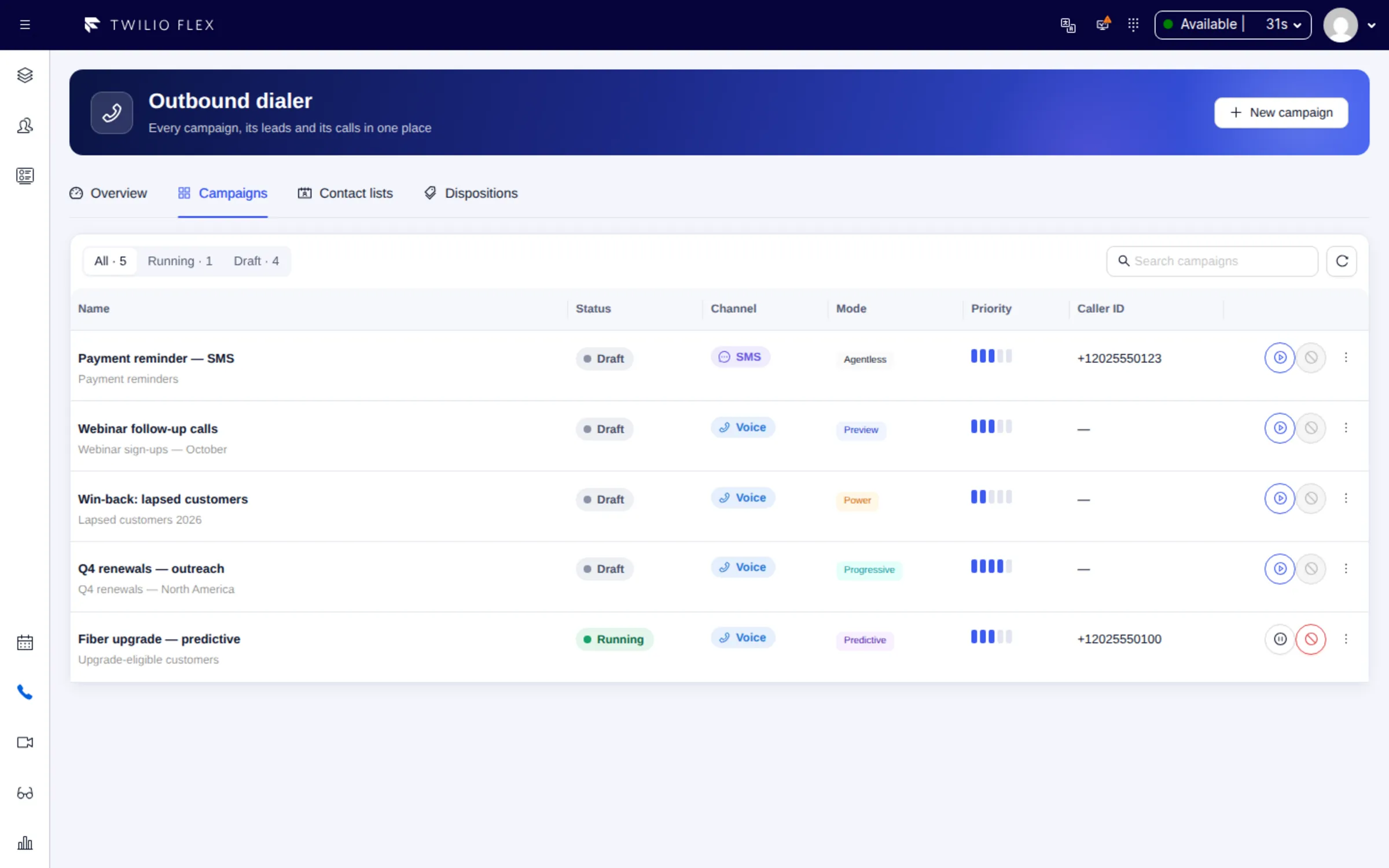
- Four dialing modes. Progressive (the default) places one call per free agent and connects the agent first, so the customer hears a person right after "hello". Power dials ahead based on the contact rate. Predictive also counts agents who are about to finish their call. Preview is used today for callbacks: the agent sees the lead card before dialing.
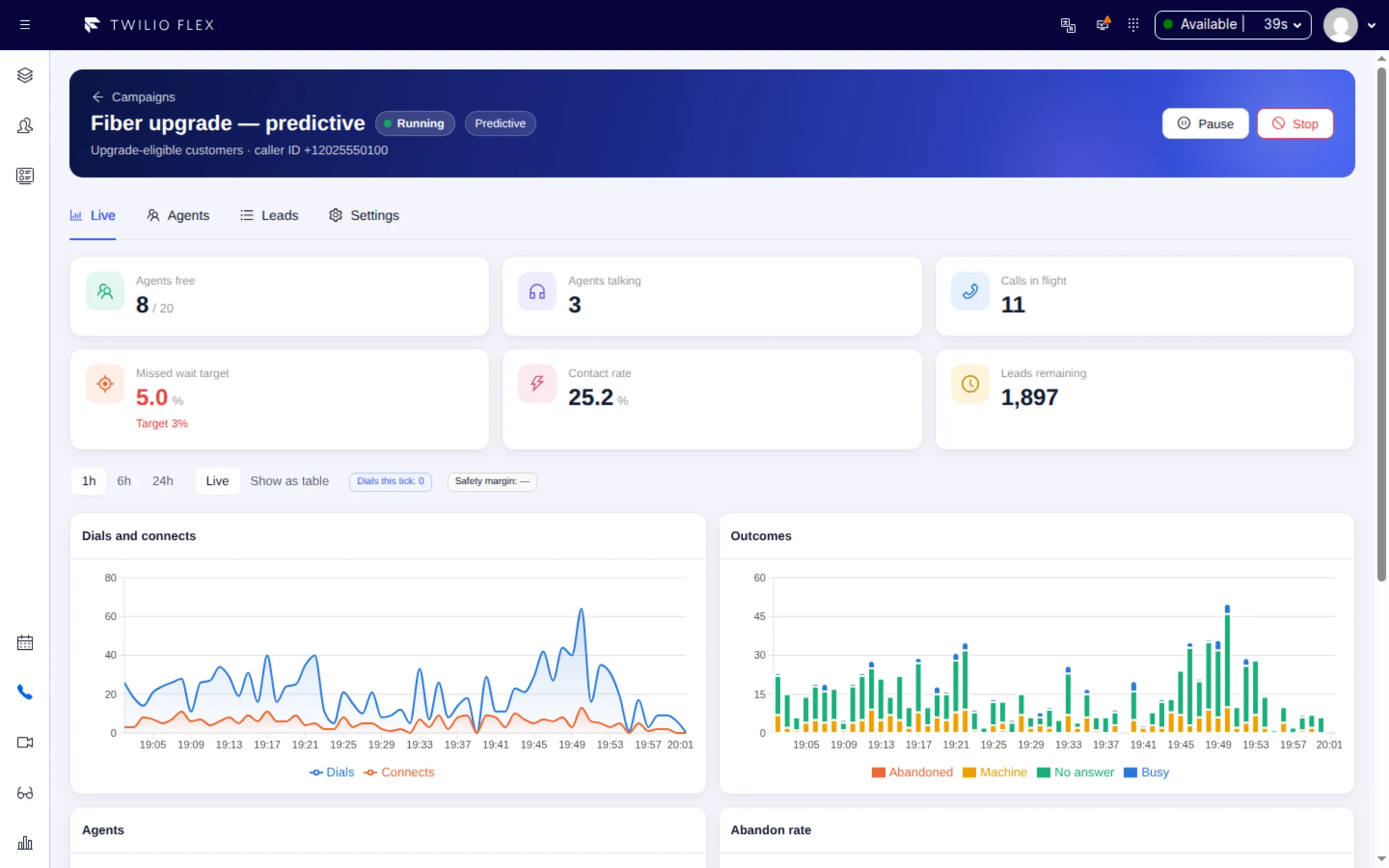
- Pacing that holds a target. Power and predictive keep the share of answered calls that wait too long for an agent under a missed-wait target (3% by default). A safety breaker switches a campaign to progressive for 5 minutes and alerts supervisors if waits overshoot.
- Answering machine detection (AMD). Synchronous or asynchronous detection, tuned per campaign. No-answer, busy and voicemail outcomes never reach an agent; they are retried by rules you set per outcome.
- Dispositions. Agents pick an outcome after every call (success, closed, try again later, callback, do not call, invalid number). Codes are managed globally or per campaign, with English and Hebrew labels.
- Callbacks. Agents book callbacks for themselves or for any agent. IVR, Studio flows and your CRM can request callbacks through the API. An agent-owned callback arrives as a card with Dial, Reschedule and Skip, and goes to the team if the owner does not take it within 10 minutes.
- Compliance controls. Global, imported and per-campaign do-not-call lists, calling windows evaluated in each lead's time zone, attempt limits, and a link to a business calendar so nobody is called on a holiday or while the center is closed.
- SMS and WhatsApp campaigns. Agentless bulk sends through Twilio's Bulk Messaging API (a public beta), with WhatsApp through approved Content Templates, a sent, delivered, read and replied funnel, and STOP opt-outs.
- Contact lists. CSV import with column mapping, E.164 normalization and de-duplication.
- Shared resources. Campaigns share agents, lines and calls per second by priority and weight. Agents join by hand or by a membership rule on their Flex worker attributes.
- Caller number pools. Up to 50 outgoing numbers per campaign, with answer rates per number so a number that carriers may be flagging can be rested.
- Live supervision. A live view per campaign, updated at most every 2 seconds, dialer tiles on the wallboard, and a dialer console that runs in a plain browser tab with the user's Flex login.
How it works
The dialer has two parts. Inside Flex, the Floor Walker plugin gives agents the lead card and disposition tabs and gives supervisors the Campaigns view; supervisors can also run campaigns from the dialer console in a browser tab. The dialer itself is part of the Floor Walker service, which we host for you in a dedicated environment or install in your own cloud or data center. The product is the same either way.
Every second the dialer decides how many numbers to dial for each campaign, places the calls through Twilio Voice in your own Twilio account and routes answered calls to agents through a TaskRouter queue per campaign, so they arrive as ordinary Flex tasks. Supervisors see live numbers at most 2 seconds old. Events that Twilio sends to the dialer are checked against Twilio's request signatures.
Campaigns, leads, call attempts and dispositions are kept by Floor Walker in the environment you chose, encrypted in transit and at rest. Supervisors and admins sign in with their Flex login and Flex role; there are no separate dialer accounts.
Who it is for
- Contact centers on Twilio Flex that run outbound sales, retention, reminder or callback campaigns and want them in the same agent desktop as inbound work.
- Teams large enough to benefit from dialing ahead. Below 12 active agents, power and predictive fall back to progressive by themselves, because overdialing a small team mostly makes customers wait.
- Supervisors who run campaigns from a browser tab, and IT teams that want campaign data either hosted for them or kept in their own cloud or data center.
Frequently asked questions
Does Twilio Flex have a predictive dialer?
Not out of the box. Flex routes tasks and lets agents place calls, but campaign pacing, lead lists, retries and do-not-call handling have to come from an add-on. Floor Walker's dialer adds them and hands answered calls to agents in Flex.
What is the difference between progressive, power and predictive dialing?
Progressive places one call per free agent and connects the agent before the customer is dialed, so no customer waits. Power dials ahead of free agents based on the contact rate. Predictive also counts agents expected to finish soon, which raises utilization on large teams. In Floor Walker's pacing simulator (simulated agents and calls, not production traffic), predictive reached about 79% agent utilization at 20 agents and about 89% at 50, against 73 to 74% for progressive; real figures depend on your traffic.
How does the dialer handle answering machines?
Answering machine detection is set per campaign. With synchronous AMD (the default), Twilio decides before the call is connected, so voicemail never reaches an agent. Asynchronous AMD avoids the short pause for people but can let a slow-to-detect voicemail reach an agent, who sees a warning. Machine answers are retried by the campaign's rules.
How do callbacks work?
A callback belongs to a campaign and inherits its caller ID, calling windows, calendar and do-not-call lists. It can be booked by an agent, a supervisor, an IVR or CRM through the API, or by the system when a customer waits too long on hold. A callback for "any agent" is dialed ahead of regular leads when it falls due.
Can it send SMS and WhatsApp campaigns as well as calls?
Yes. A messaging campaign uses the same contact lists, do-not-call lists and sending windows as voice. Messages go out in batches with no agent involved, delivery is tracked per lead, and a customer reply arrives in Flex as an ordinary chat task with a badge showing which campaign it answered.
Does it keep us within calling-hours rules?
Every number is checked against do-not-call lists, calling windows in the lead's time zone, attempt limits and an optional business calendar, both when the lead is claimed and again at dial time. Every rule is configurable per campaign and should be confirmed against the law that applies to you.
Learn more
- Outbound Dialer overview
- Dialing modes and Pacing
- Compliance and calling hours
- Callbacks
- Dialer console
- Limitations
Book a demo: hello@floorwalker.dev