Screen recording for Twilio Flex
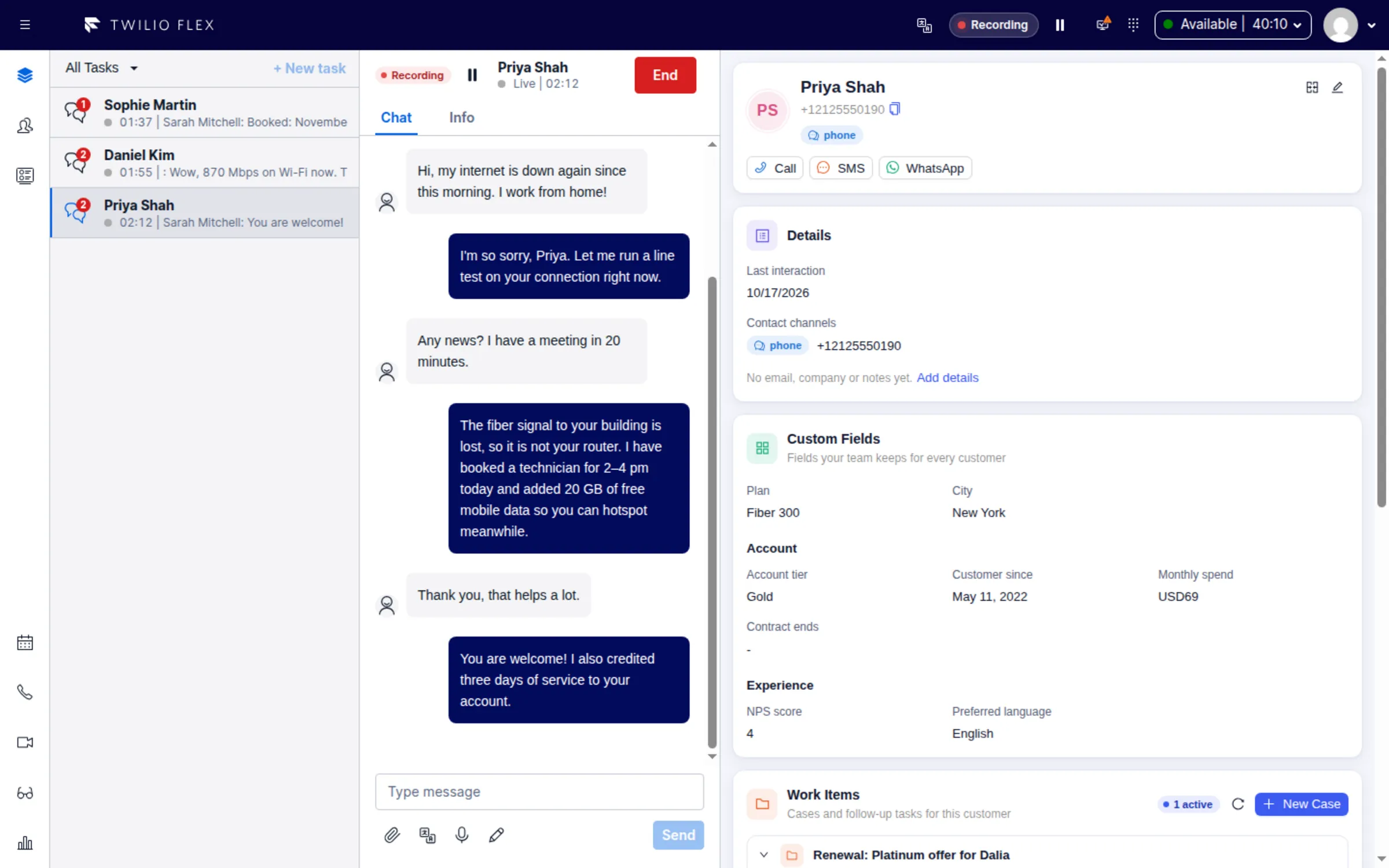
Floor Walker adds screen recording to Twilio Flex: a desktop app for Windows and macOS records what the agent sees while handling calls, chats, SMS and WhatsApp, starting and stopping with the agent's Flex tasks. When an agent works several conversations at once, each conversation still gets its own recording, which supervisors play back inside Flex with timestamped coaching notes.
What you get
- Automatic recording. Recording starts when the agent accepts a task and stops when the agent's last open task is completed. Agents have nothing to start, name or upload.
- Every channel. Voice, chat, SMS and WhatsApp tasks are recorded, not only calls.
- Parallel conversations. One recording session runs per agent however many conversations are open. Each task gets its own recording, made of every part of the session in which that task was open, including time the agent spent on another chat.
- Pause for sensitive data. Agents pause recording from the Flex header or the task header while a card number or ID is on screen. Paused time is not captured at all.
- Selective recording. Admins can limit recording to chosen channels, queues or task attribute rules, and can let agents opt out of recording their own sessions.
- Audio for voice tasks. For calls, the app also records the call audio separately; it is transcribed and feeds the AI summary, sentiment and outcome on the customer's timeline.
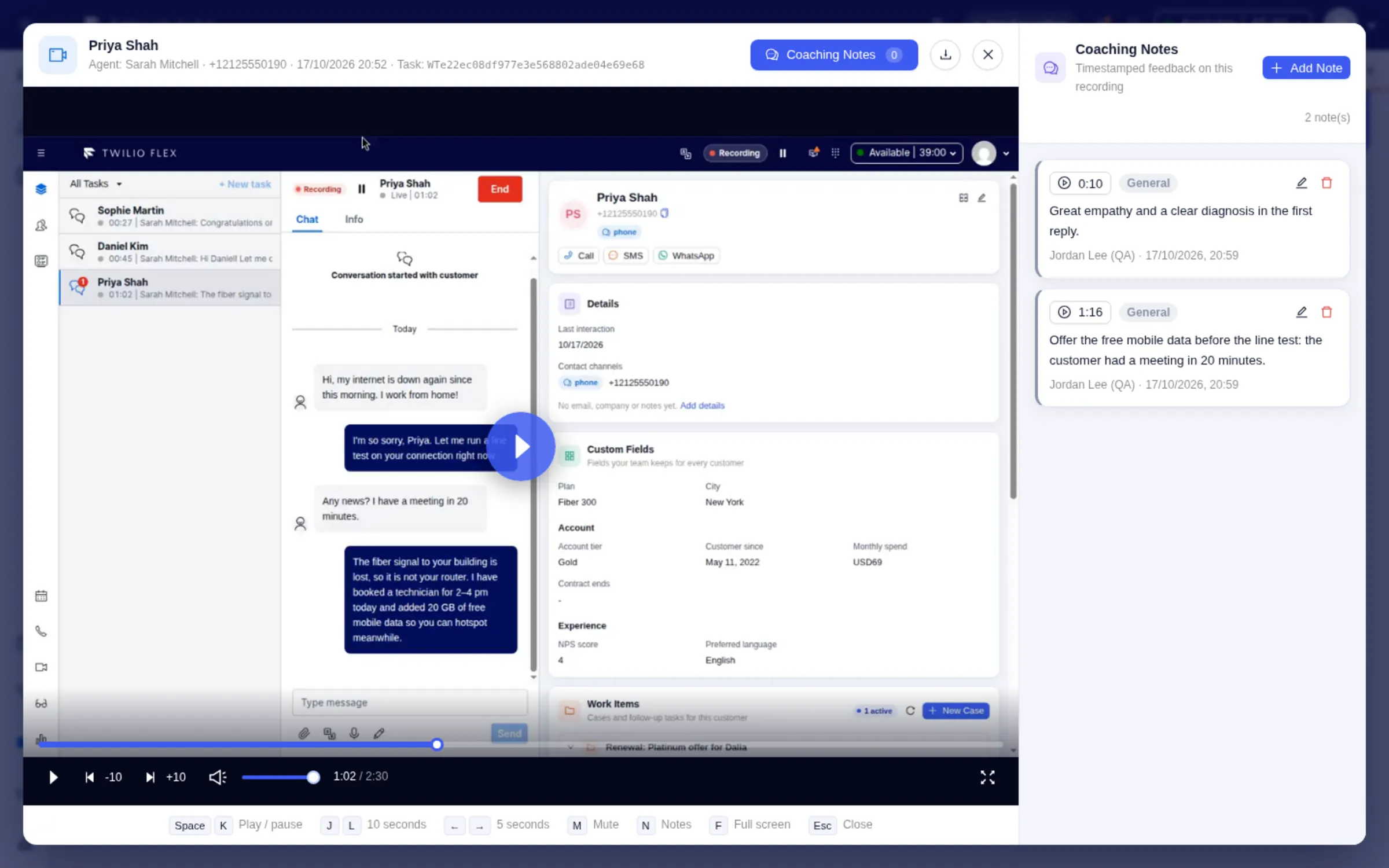
- Playback in Flex. A Recordings page with filters by status, customer phone number and date, a play button on interactions in the CRM, and a Screen Recordings tab on voice tasks.
- Coaching notes. Supervisors and QA reviewers pin notes to moments in a recording, with a category (General, Positive, Needs Improvement, Compliance, Technique, Communication) and an optional 1 to 5 star rating. Notes show as markers on the timeline.
- Retention. Media is deleted automatically after a retention period, 90 days by default. Coaching notes stay after the media expires.
How it works
The Floor Walker plugin in Flex connects to the Screen Recorder app on the agent's computer and hands it the agent's Flex session, so the app has no settings for agents to fill in. When the agent accepts a task that your recording policy covers, the app starts recording; tasks accepted later join the same recording.
The recording is made in short parts of about 30 seconds. Each part is labelled with the tasks that were open while it was recorded and is uploaded as the agent works, so at most about 30 seconds waits on the agent's computer. When the last task ends, Floor Walker makes one recording per task from the parts in which that task was open. Paused time is never captured, so playback simply continues with the next part.
Recordings are kept in private storage by the Floor Walker service, which we host for you in a dedicated environment or install in your own cloud or data center, so recordings never leave your environment. They are encrypted in transit and at rest, and play only through short-lived links issued to a signed-in Flex user.
Who it is for
- Contact centers on Twilio Flex that coach and review agents and need to see what happened on screen, not only hear the call.
- Messaging-heavy teams where agents handle several chats at once and reviewers need one customer's conversation at a time.
- Organizations that want recordings kept in their own environment or hosted for them, encrypted and deleted on schedule.
Frequently asked questions
Can Twilio Flex record the agent's screen?
Floor Walker adds this. Its desktop recorder runs on the agent's Windows or Mac computer and is driven by the Floor Walker Flex plugin, so recording follows the agent's tasks without any action from the agent.
How does it record an agent handling several chats at once?
It records one continuous session in parts of about 30 seconds and labels every part with all tasks open at that moment. Each task's recording is built from the parts where it was open, so two chats handled side by side share the same footage, and each plays as its own recording. Because boundaries fall every 30 seconds, a recording can start up to 30 seconds before the task was accepted and end up to 30 seconds after it was completed.
How do agents keep card numbers out of recordings?
They press Pause Recording in the Flex header or the task header before the sensitive data appears, and Resume when done. Nothing is captured while paused, and the pause covers all of the agent's open conversations.
Where are recordings stored, and for how long?
In private storage of the Floor Walker service, in the environment you chose: our managed hosting or your own cloud or data center. Recordings are encrypted at rest, and browsers and the app reach them only through short-lived links issued to a signed-in user. They are deleted automatically after the retention period, 90 days by default; ask us to change it for your installation. Coaching notes are kept after the media expires.
Does it also transcribe and analyze calls?
For voice tasks the app uploads the call audio with the recording. Floor Walker transcribes it with the speakers separated, and the transcript runs through your AI prompt template to produce a summary, sentiment, outcome and topics on the customer's timeline.
Is there a limit on recording length?
A recording session stops after 1 hour, and the recording up to that point is kept. If Flex disconnects, the app keeps recording for a 30-second grace period before it finalizes the session.
Learn more
- Screen Recorder overview
- How recording works
- Playback and coaching notes
- Install and set up
- Screen recording in the agent workspace
Book a demo: hello@floorwalker.dev