Real-time wallboards for Twilio Flex
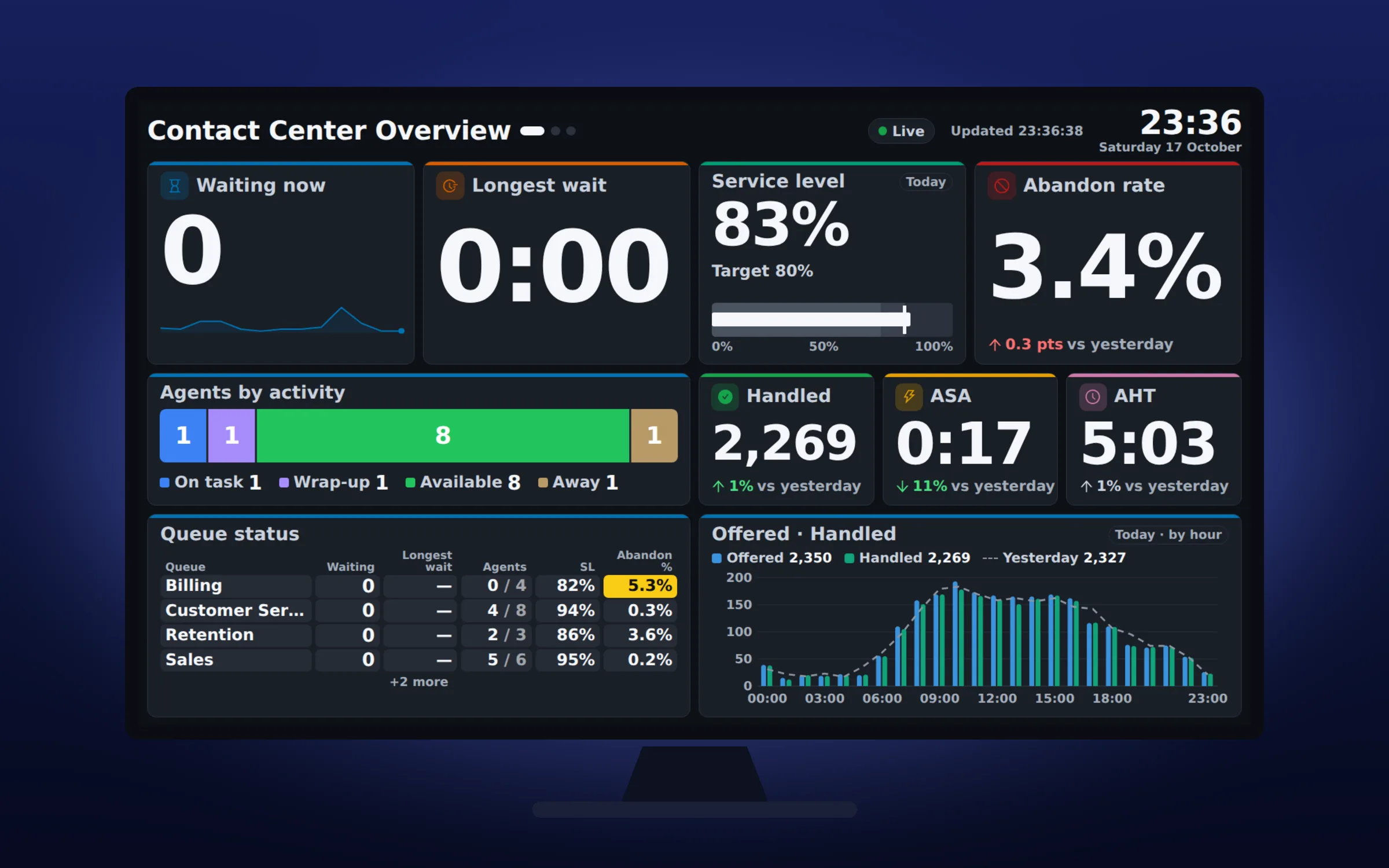
Floor Walker adds real-time wallboards to Twilio Flex: boards of tiles showing waiting contacts, service level, abandons, agent states and dialer campaigns, live inside Flex and on any TV in the room through a revocable link that needs no Flex login. Supervisors build boards by dragging tiles in Flex or by describing a tile in plain words and letting AI build it.
What you get
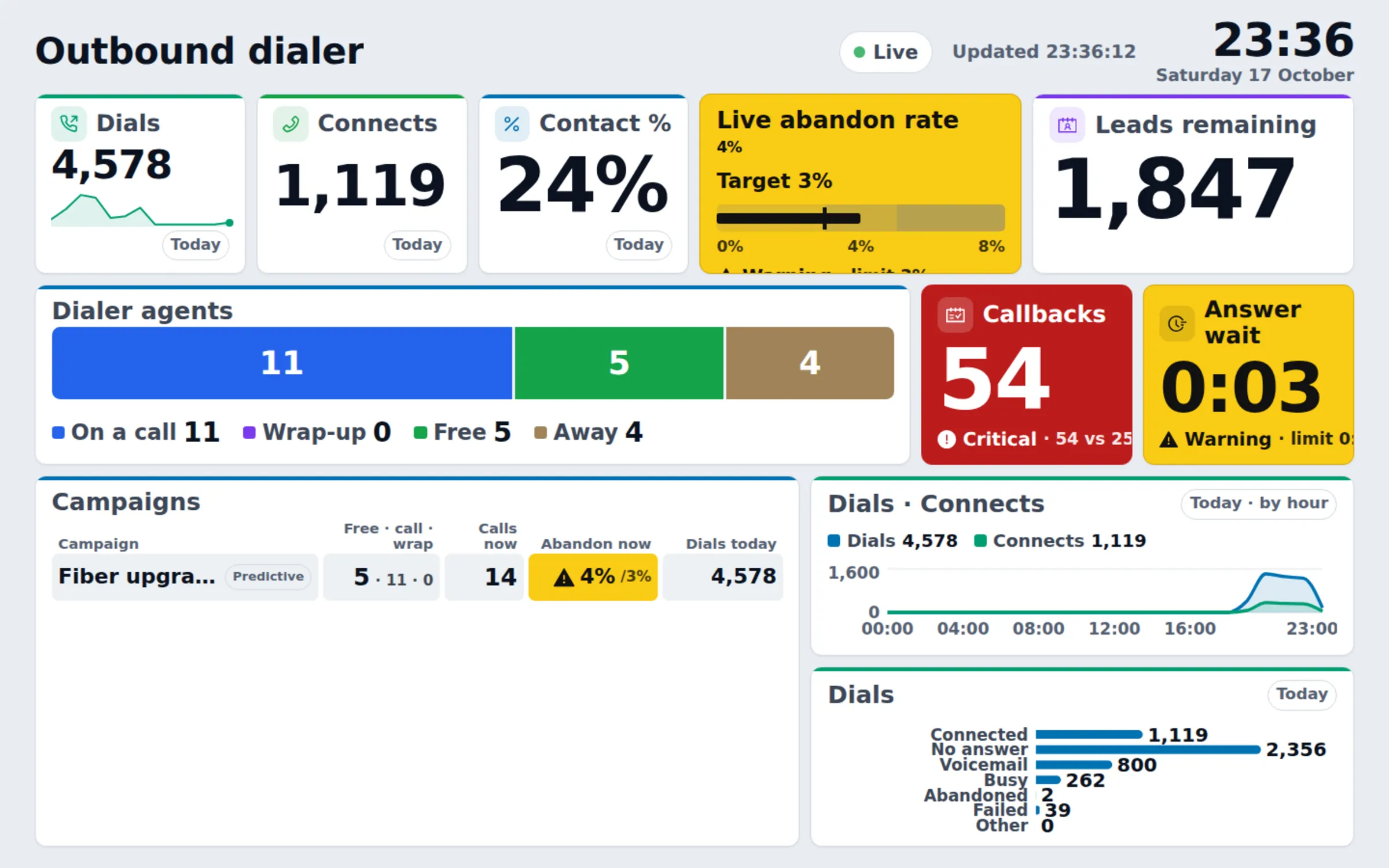
- Ready-made boards. Templates for a contact center overview, queue health, the agent floor, a day summary for leadership and the outbound dialer, or a blank grid.
- Tiles for every kind of number. Big numbers with sparklines and deltas, gauges, bullet graphs against a target, daily goals, bars, lines, donuts, heatmaps, a queue table, agent cards with time in state, leaderboards, a live waiting list with timers, business calendar open or closed, a clock with up to four extra time zones, and text.
- Live and historical metrics. Waiting now, longest wait and agents by state, next to today's service level, abandon rate, average speed of answer and average handle time, with yesterday or last week overlaid.
- Dialer tiles. With the Floor Walker dialer: dials, connects, contact rate, the pacer's live abandon rate against its target, dialer agents by state, callbacks due and a table of every running campaign.
- Alert colours. Tiles stay neutral and turn yellow or red when a value breaches a warning or critical limit, with an optional delay so a brief spike does not flash the room.
- AI tiles. Describe a tile, for example "abandon rate per queue today as bars", and AI fills in the tile's settings. The result is checked against the metric catalog before it is added. A shift summary tile writes a few sentences about today's numbers about every 10 minutes.
- TV links. A link or QR code per screen, showing one board or a rotation of several. Change the rotation without touching the TV, or revoke the link and the screen stops showing data.
- Broadcast banners. Put a message of up to 200 characters on every screen showing a board, at info, warning or critical level, with an optional expiry.
- Light, dark and high-contrast themes, in English or Hebrew, with columns mirrored on Hebrew boards.
How it works
The wallboard is part of the Floor Walker service, which we host for you in a dedicated environment or install in your own cloud or data center. It has three data sources:
- Live numbers come from TaskRouter real-time statistics, read once, centrally, and rate-limited (1 request a second by default). Every board, TV and Flex view reads Floor Walker's copy, so adding TVs never adds Twilio API calls.
- Historical numbers come from TaskRouter events that Event Streams in your Twilio account sends to Floor Walker. They use the same metric definitions as Floor Walker's historical reports and supervisor console.
- Dialer numbers are read from the Floor Walker dialer.
A TV opens a board through its TV link. The display key travels in the part of the link that browsers do not send to servers, and Floor Walker stores only a hash of it. A key gives read-only access to the boards in its playlist and nothing else. The TV checks for new numbers every 5 seconds, keeps the screen awake, reloads the layout after an edit and marks numbers as stale, with their age, if updates stop.
Who it is for
- Contact center supervisors who want queue and agent status on the wall, without logging a TV in to Flex.
- Outbound teams that want campaign pacing, abandons and callbacks visible to the floor.
- Operations leads who want one set of numbers on the wall, at the desk and in reports.
Frequently asked questions
How do I show Twilio Flex queue stats on a TV?
In Flex, open a Floor Walker board, choose TV links, name the screen and pick one or more boards. You get a link and a QR code; open it in the TV's browser, a stick PC or a signage player. The link works without a Flex login and can be revoked at any time.
Does every TV add load on the Twilio API?
No. Floor Walker reads TaskRouter in one place, rate-limited, and every TV and Flex view reads that copy. An unchanged board costs almost nothing to refresh.
Can the wallboard show dialer campaigns as well as inbound queues?
Yes. With the Floor Walker dialer, an Outbound dialer template and dialer tiles show dials, connects, contact rate, the live abandon rate against its target, dialer agents by state, callbacks due and every campaign at a glance. Dialer tiles filter by campaign.
Can AI build wallboard tiles?
Yes. Describe the tile in a sentence and the AI fills in the same settings the tile form edits: metric, window, breakdown, filters, chart and thresholds. It never produces code. The answer is checked, you see a preview and can still edit the tile before saving. AI tiles need AI to be enabled for your environment.
Do the wallboard numbers match the reports?
Yes. Historical tiles use the same metric registry and per-queue service level settings as Floor Walker Reports and the supervisor console, so the same metric over the same period gives the same number everywhere.
Who can see and edit the boards?
Supervisors and admins open and edit boards from the Flex side navigation. Agents do not see the wallboard in Flex. TV screens show only the boards in their link's playlist, read-only.
Learn more
- Wallboard overview
- Boards and the editor
- Tiles and metrics
- Showing a board on a TV
- AI tiles
- Data sources and setup
Book a demo: hello@floorwalker.dev